

How to create a Generic Docker Base Image with Monorepo and Semantic versioning? Part 3/3

This is the last article of this serie. If you haven't read the other articles, please checkout these links before continue this reading:
In this new entry we are going to learn how to add a new package into our monorepo project which represents an specific Docker Base Image of nodejs.
Added a new package
To add a new package you just need to create a new folder and following the previous structure. For example, to create a package for node-19 follow these steps:
Copy the node-18 folder
Paste it into the packages folder
Rename the node-18 copy folder to node-19
Change the docker base image in the Dockerfile by changing the first line to: FROM node:19.0.0-slim (the official image of node 19)
Update the README.md and change the occurrence of node-18 by node-19.
Modify the project.json file with:
 {
     "name": "node-19",
     "version": "1.0.0",
     "nodeImage": "19.0.0",
     "$schema": "../../node_modules/nx/schemas/project-schema.json",
     "sourceRoot": "packages/node-19",
     "targets": {
         "build": {}
     }
 }
Finally, commit & push your new package folder and the Github action pipeline will get triggered automatically.
Check the pipeline
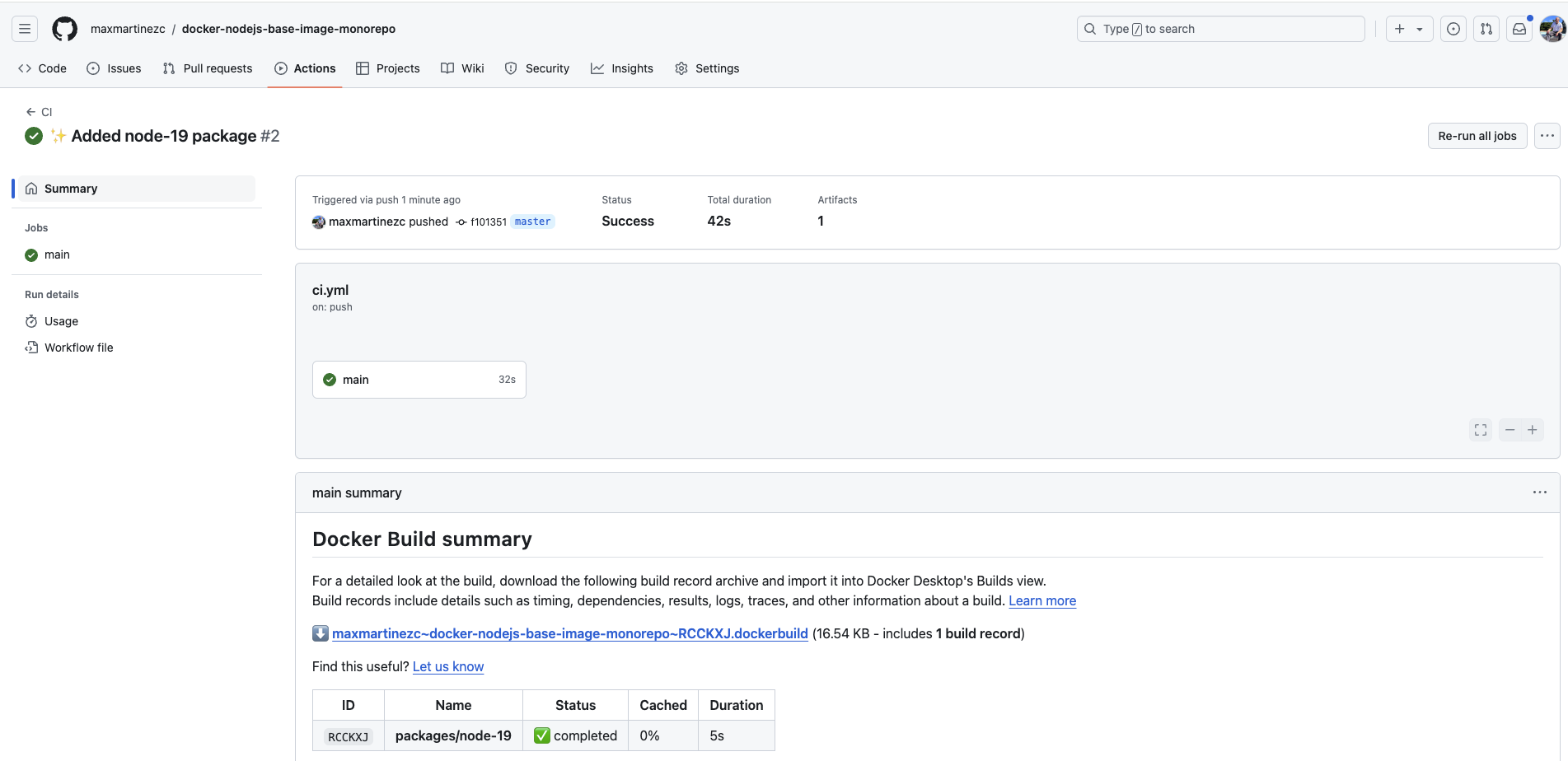
After commit and push your changes, you will have a new build for the node-19 package:
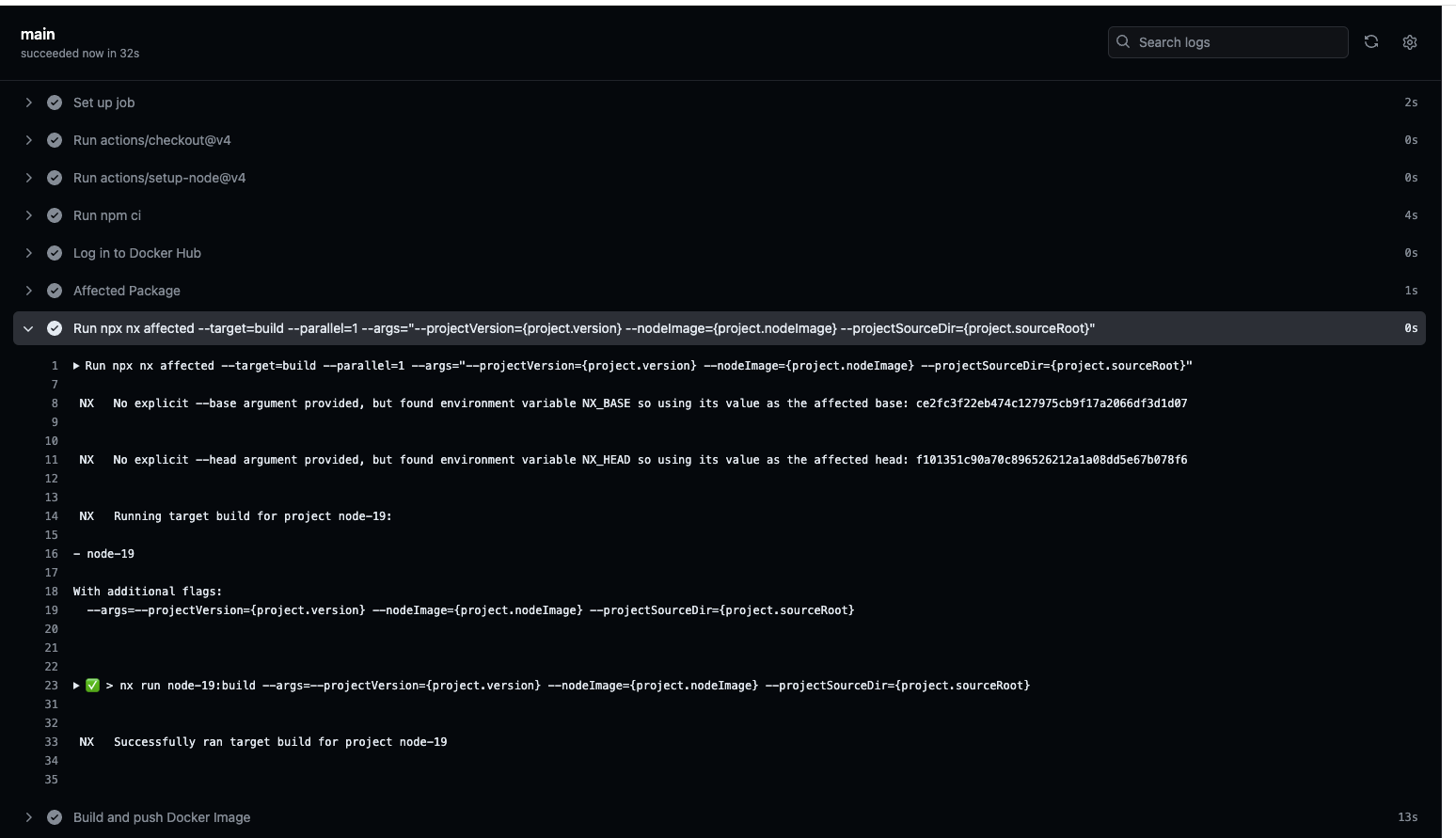
Also you can notice that the affected command only shows the new package:
Check the Docker Hub Repository
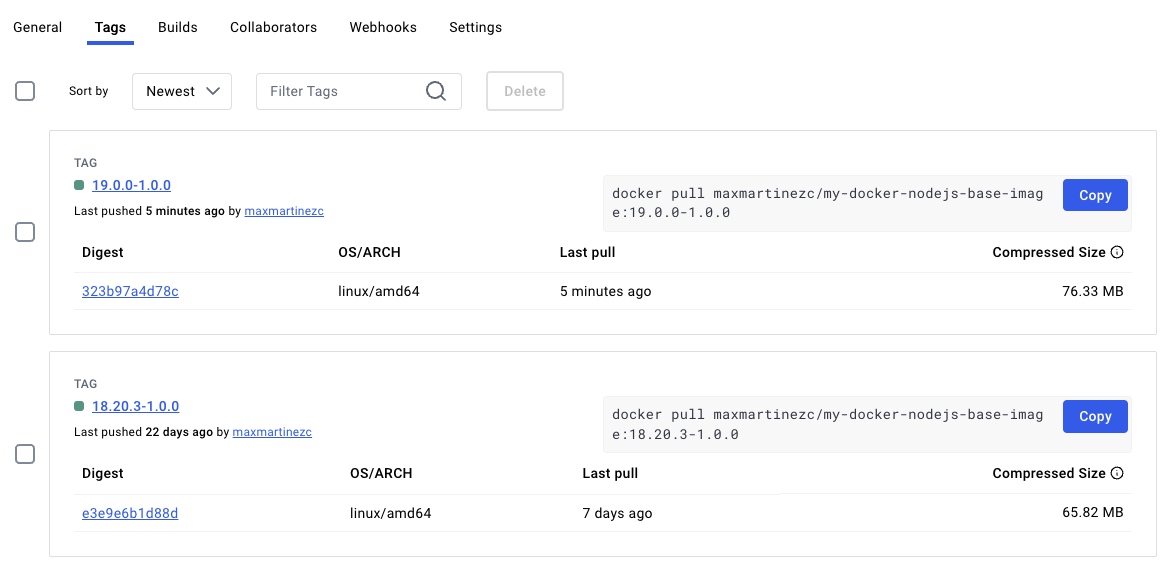
And in the docker hub repository, we can see the new image tag which represents the version 19.0.0-1.0.0:
Awesome, now you are able to maintain a monorepo for your Docker Base image of nodejs using semantic versioning.
Final thoughts
This solution only build one package peer pipeline execution.
Enhancement: Change the pipeline to only trigger the build steps after merge a PR into master.
The master branch should be protected and don't allow push changes without PRs.
If you delete a package or make a change at the project level, The Nx affected command will build all packages. Be careful.
You can find the GitHub repository in this link: docker-nodejs-base-image-monorepo
I hope you find this article very insightful and will be able to use this solution in your projects.
See you in the next article.
About the author
I'm an enthusiastic Chilean software engineer in New Zeland. I mostly focus on the back-end of the systems. This is my site, Señor Developer, where I share my knowledge and experience.


